> ## Documentation Index
> Fetch the complete documentation index at: https://docs.dibby.ai/llms.txt
> Use this file to discover all available pages before exploring further.
# Workflow Concepts
> Understand the core concepts and building blocks of dibby workflows
## Workflow core concepts
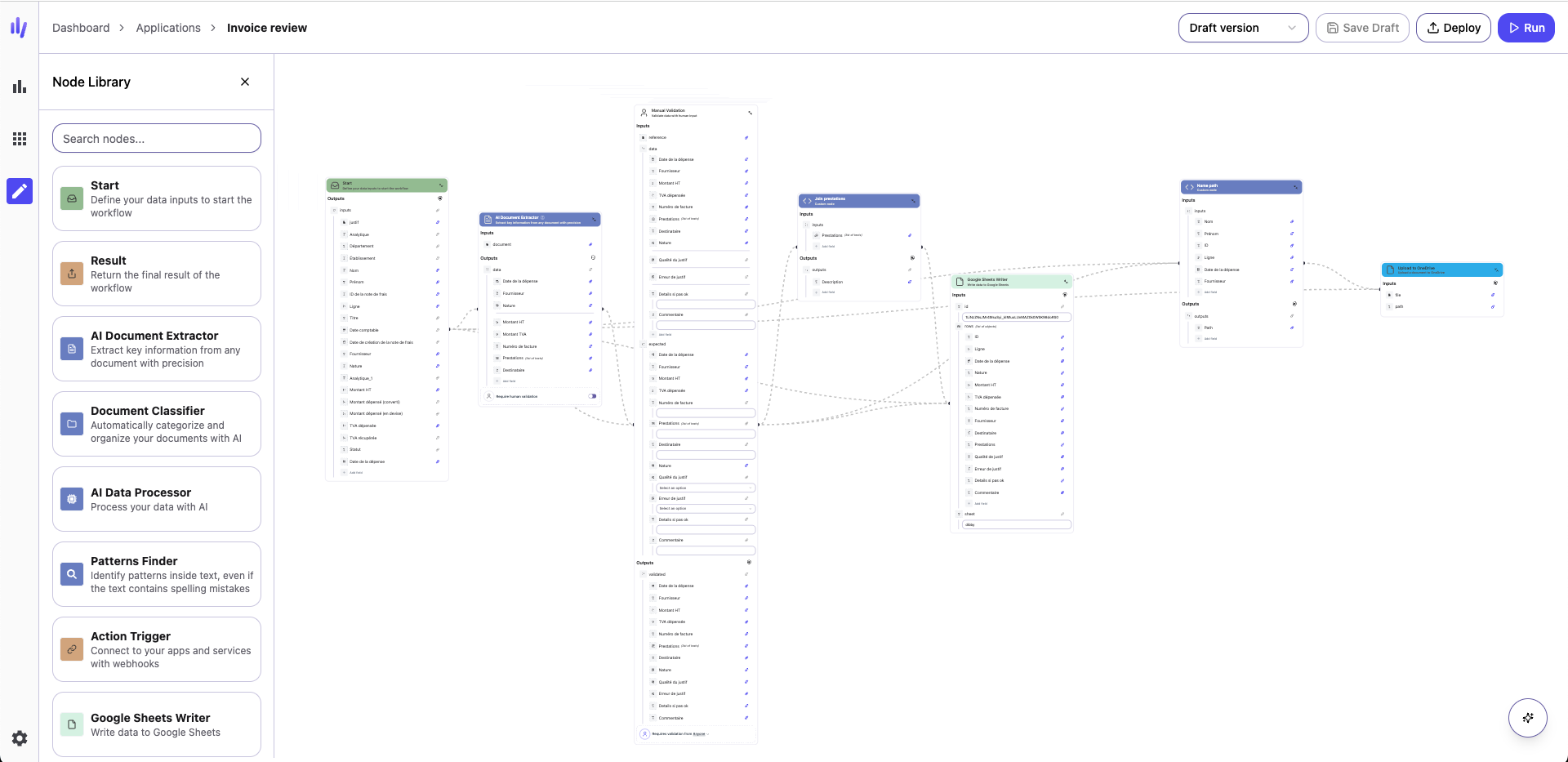
Workflows are the foundation of dibby's automation platform. A workflow lets you automate a business process by connecting a **source** (where your data comes from) to a **destination** (where the results go), with all the necessary processing steps in between.
Workflows are built by connecting **nodes**—each node performs a specific action, transformation, or decision. dibby executes these nodes sequentially from start to finish, producing consistent and reliable outcomes every time.
## Trigger nodes
Every workflow begins with a **trigger node**. The trigger defines **when** and **how** the workflow should run.
### Manual triggers
**Start Node**
A manual trigger you control with custom inputs. Perfect for testing, API-driven workflows, or on-demand execution from your application.
### External triggers
Automatically run your workflow when something happens in a connected service:
* **Mail** — New email arrives
* **Webhook Trigger** — External system sends data to dibby
* More integrations available—see the [Nodes documentation](/nodes/input) for the complete list
### Scheduled triggers
**Time Trigger**
Automate recurring tasks by running the workflow on a schedule (e.g., every 10 minutes, daily, weekly, monthly).
## Action nodes
Action nodes perform the core work in your workflow. These nodes interact with AI models, external services, or transform your data.
### AI-powered actions
* **AI Document Extractor** — Extract structured data from PDFs, invoices, contracts, forms, or scanned documents
* **AI Document Classifier** — Automatically categorize documents by type
* **AI Data Processor** — Generate text, create summaries, analyze sentiment, or transform data with custom AI prompts
### Integration actions
Connect your workflows to external services and data sources. Integration nodes allow you to send data to spreadsheets, interact with email systems, call external APIs, or store information in dibby's internal tables.
See the complete list of available integrations in the [Nodes documentation](/nodes/input).
## Control flow nodes
Control flow nodes shape the logic of your workflow. They control how data flows, enable branching decisions, and allow you to process collections of items.
### Conditional branching
**Condition Node (If-Else)**
Route your workflow down different paths based on data values.
### Iteration (Loop)
**For Each Node**
Process arrays and lists by executing a set of nodes for each item. Perfect for:
* Processing multiple documents from an email
* Updating multiple records
* Batch operations
## Human validation nodes
Human validation is a core feature of dibby, allowing you to add human oversight and control to your automated workflows.
### Why human validation?
While AI is powerful, many business processes require human judgment, especially for:
* High-value transactions
* Regulated industries requiring compliance
* Quality assurance and accuracy verification
* Exception handling and edge cases
* Building trust in automation
### Validation node types
**Manual Validation Node**
Always pauses the workflow for human review. The reviewer can:
* See the original document alongside extracted data
* Compare extracted values with expected values
* Make corrections to any fields
* Approve or reject the results
**Optional Validation on AI Nodes**
AI extraction and classification nodes support optional validation. You can:
* Auto-approve most results
* Flag specific runs for review based on confidence scores
* Manually trigger review when needed
### How it works
1. Workflow reaches a validation node and **pauses**
2. A validation task is **created and assigned** to a team member
3. The reviewer **examines the data** in the validation interface
4. The reviewer **approves or corrects** the data
5. Workflow **resumes** with the validated data
Learn more in the [Human Validation](/concepts/human-validation/overview) section.
***
## Output nodes
Output nodes define where your workflow ends and how results are delivered.
Output nodes are optional. If omitted, the workflow will automatically
complete at its final step.
### Available output options
**Result Node**
Returns the workflow's final output. Ideal for:
* API-driven workflows
* Testing and development
* Integration with other systems
**Webhook Node**
Sends processed data to an external service or API endpoint. Use this to:
* Trigger actions in other systems
* Send data to your application
* Integrate with third-party tools
***
## Best practices
### Start simple
Begin with a basic workflow:
1. Choose a trigger
2. Add one or two processing nodes
3. Test with sample data
4. Gradually add complexity
### Use human validation strategically
* Add mandatory validation for high-risk or high-value processes
* Use optional validation to build confidence in your AI models
* Start with more validation, reduce as accuracy improves
### Test thoroughly
* Use the Start node with sample data during development
* Test edge cases and error scenarios
* Verify integrations with real data before production
### Monitor and iterate
* Review workflow runs in [Audit & Logs](/concepts/audits-logs)
* Monitor execution times and credit usage
* Optimize based on real-world performance
* Refine AI prompts and configurations as needed