> ## Documentation Index
> Fetch the complete documentation index at: https://docs.dibby.ai/llms.txt
> Use this file to discover all available pages before exploring further.
# Organization management
> Manage your team, roles, and billing settings
## Overview
Organizations in dibby allow teams to collaborate on workflows, share resources, and manage access control. You can invite team members, assign roles, monitor credit usage, and manage billing all in one place.
## Accessing your organization
You can access your organization settings by clicking on it in the top left of dibby, and then clicking on "Settings".
## Team management
### Inviting team members
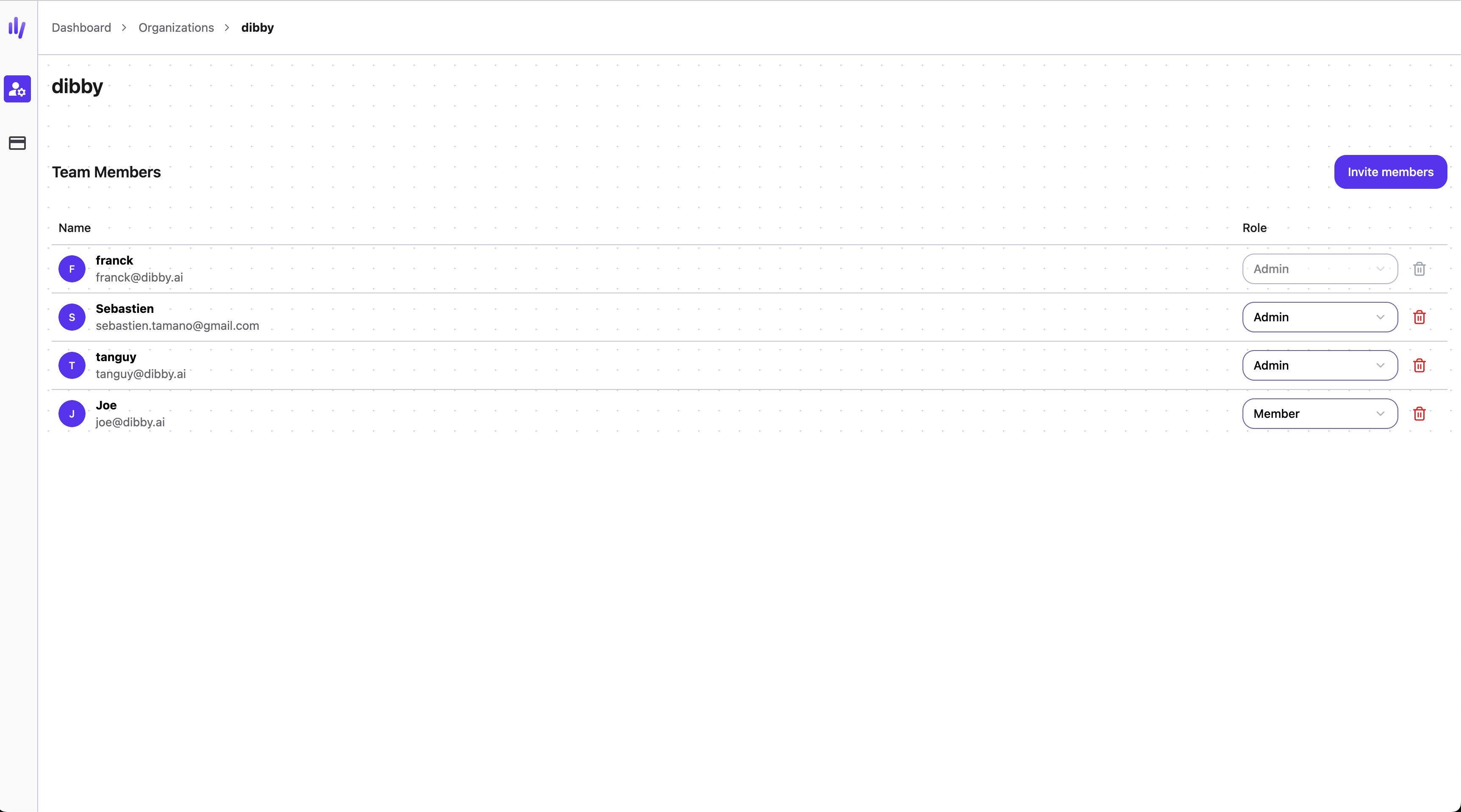
From your organization page, you can invite team members to collaborate on your workflows.
1. Navigate to your organization settings
2. Go to the team members section
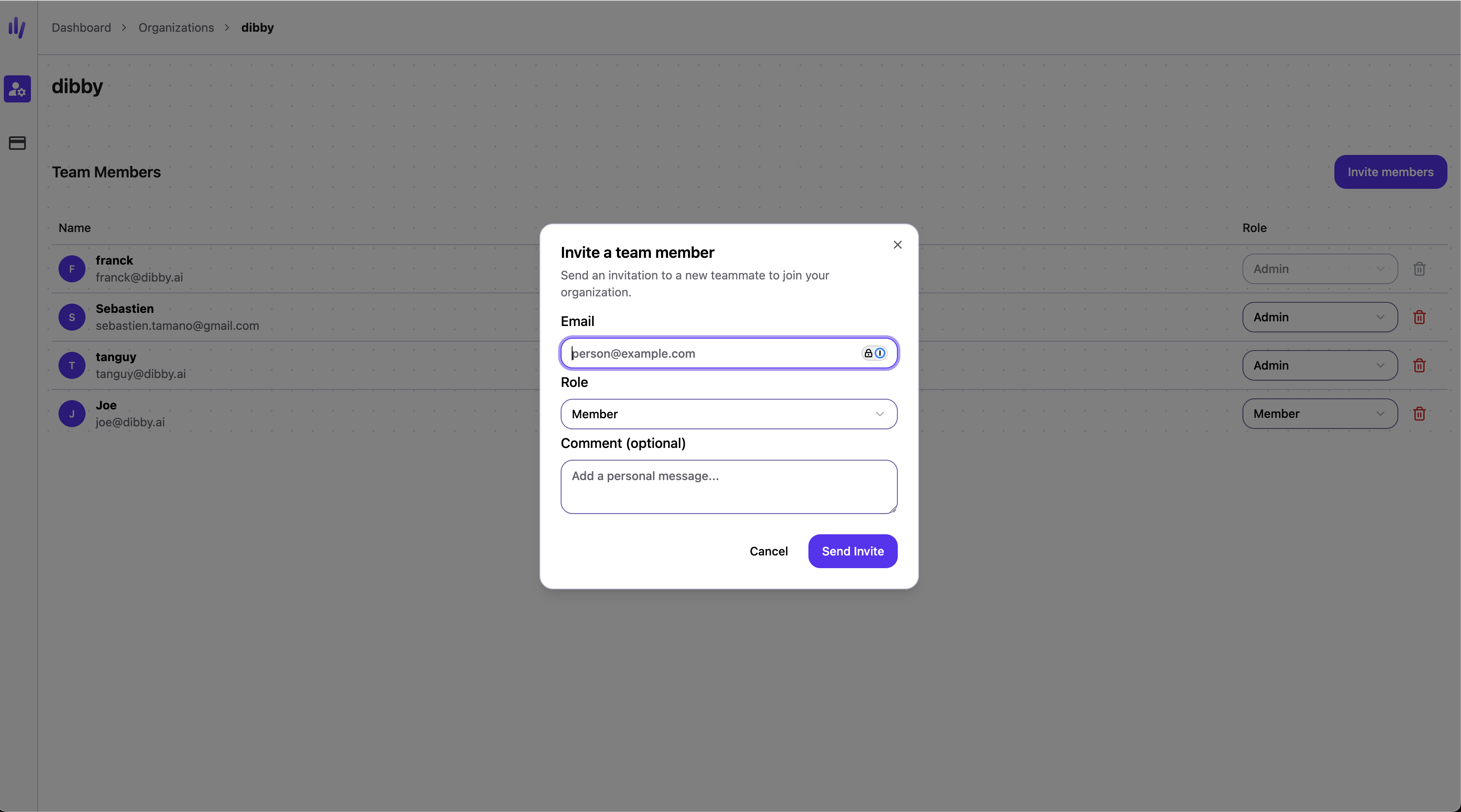
3. Click "Invite Member"
4. Enter their email address and assign a role
### Organization roles
Assigned when inviting a team member. Controls access to org settings, billing, and documents.
| | Admin | Billing | Member | Viewer |
| ------------------------------- | :---: | :-----: | :----: | :----: |
| Manage team members & roles | ✓ | | | |
| Configure organization settings | ✓ | | | |
| Create applications | ✓ | | | |
| Manage billing & payments | ✓ | ✓ | | |
| View billing & credit usage | ✓ | ✓ | ✓ | |
| Create and edit documents | ✓ | ✓ | ✓ | |
| Use credits | ✓ | ✓ | ✓ | |
Organization admins automatically have Admin access to all applications in the organization.
### Application roles
Assigned per application. Controls what members can do within a specific application. Add someone as an application member to give them access.
| | Admin | Member | Viewer |
| ------------------------------ | :---: | :----: | :----: |
| Manage application members | ✓ | | |
| Create and edit workflows | ✓ | | |
| Edit table structure | ✓ | | |
| Edit pages | ✓ | | |
| Run workflows | ✓ | ✓ | |
| Edit table data | ✓ | ✓ | |
| Create table views | ✓ | ✓ | ✓ |
| View tables | ✓ | ✓ | ✓ |
| View workflows and run history | ✓ | ✓ | ✓ |
| View pages | ✓ | ✓ | ✓ |
## Organization dashboard
Your organization page provides visibility into usage and billing:
### Credit usage
Monitor your organization's credit consumption:
* Current credit balance
* Remaining credits in your plan
### Billing & invoices
Access all billing information:
* Current subscription plan
* Payment methods
* Billing history
* Download invoices
* View upcoming charges
* Upgrade or downgrade plans
## Best practices
**Assign appropriate roles**
Give team members the minimum permissions they need. Use Viewer role for stakeholders who only need visibility.
**Regular access reviews**
Periodically review who has access to your organization and remove users who no longer need it.
**Monitor credit usage**
Track credit consumption to avoid unexpected costs and optimize workflow efficiency.
**Keep billing info updated**
Ensure payment methods and billing contacts are current to avoid service interruptions.
**Document team structure**
Maintain clear documentation of who has access and why, especially for compliance purposes.