
Overview
Configuration
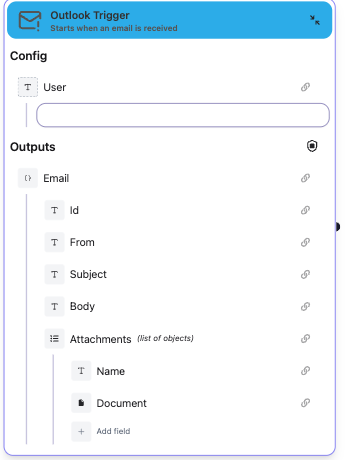
User
Specify the user account (mailbox) to monitor, if not specified it will monitor the main mailbox of the userInputs
- Email: Object containing:
- Id: Unique email identifier
- From: Sender email address
- Date: Email received date
- Subject: Email subject
- Body: Email body content
- Attachments: Array of attachments, each with:
- Name: File name
- Document: The document file
Outputs
- Email: Object containing:
- Id: Unique email identifier
- From: Sender email address
- Subject: Email subject
- Body: Email body content
- Attachments: Array of attachments
Node type
Trigger Node - This node starts workflow execution automatically.Usage
- Connect your Microsoft account
- Optionally specify a user account to monitor
- The workflow will automatically run when new emails arrive