Documentation Index

Fetch the complete documentation index at: https://docs.dibby.ai/llms.txt

Use this file to discover all available pages before exploring further.

Overview

Table update node
The Table Update node allows you to update existing rows or add new rows to a table in dibby.

Configuration

Filter

Define filter criteria to identify which rows to update (optional).

Rows

Define the structure of data to update or insert.

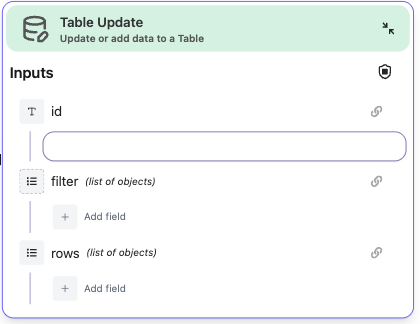
Inputs

  • id: The table identifier
  • filter: Filter criteria to match rows (optional)
  • rows: The data to update or insert

Usage

Provide a table ID, optional filter conditions, and the data to update. If no matching rows are found, new rows will be inserted.