dibby Documentation home page
Search...
⌘K
Support
Dashboard
Dashboard
Search...
Navigation
Nodes
Result
Documentation
API Reference
Blog
Getting Started
Welcome to dibby
Concepts
Applications
Workflow
Tables
Human Validation
Audit & Logs Overview
On-premise deployment
Organization
Organization management
Nodes
Start
Result
AI Document Extractor
AI Document Classifier
AI Data Processor
Patterns Finder
Action Trigger
Google Sheets Writer
Table Update
Table Read
Condition
Manual Validation
Outlook Trigger
Outlook Add Categories
Outlook Forward Email
Time Trigger
For Each
Combine
Set Run Metadata
On this page
Overview
Configuration
Outputs
Nodes
Result
Copy page
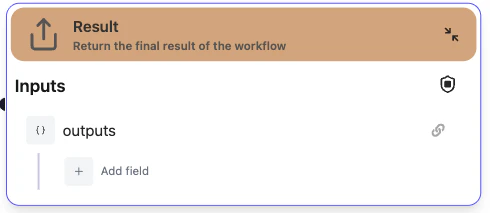
Return the final result of the workflow
Copy page
Overview
The
Result
node is used to define and return the final output of your workflow. This node marks the end of the workflow execution and is used when you want to integrate dibby by API.
Configuration
Outputs
Configure the output data structure that your workflow will return.
Type:
Object
Start
AI Document Extractor
⌘I