
Workflow core concepts
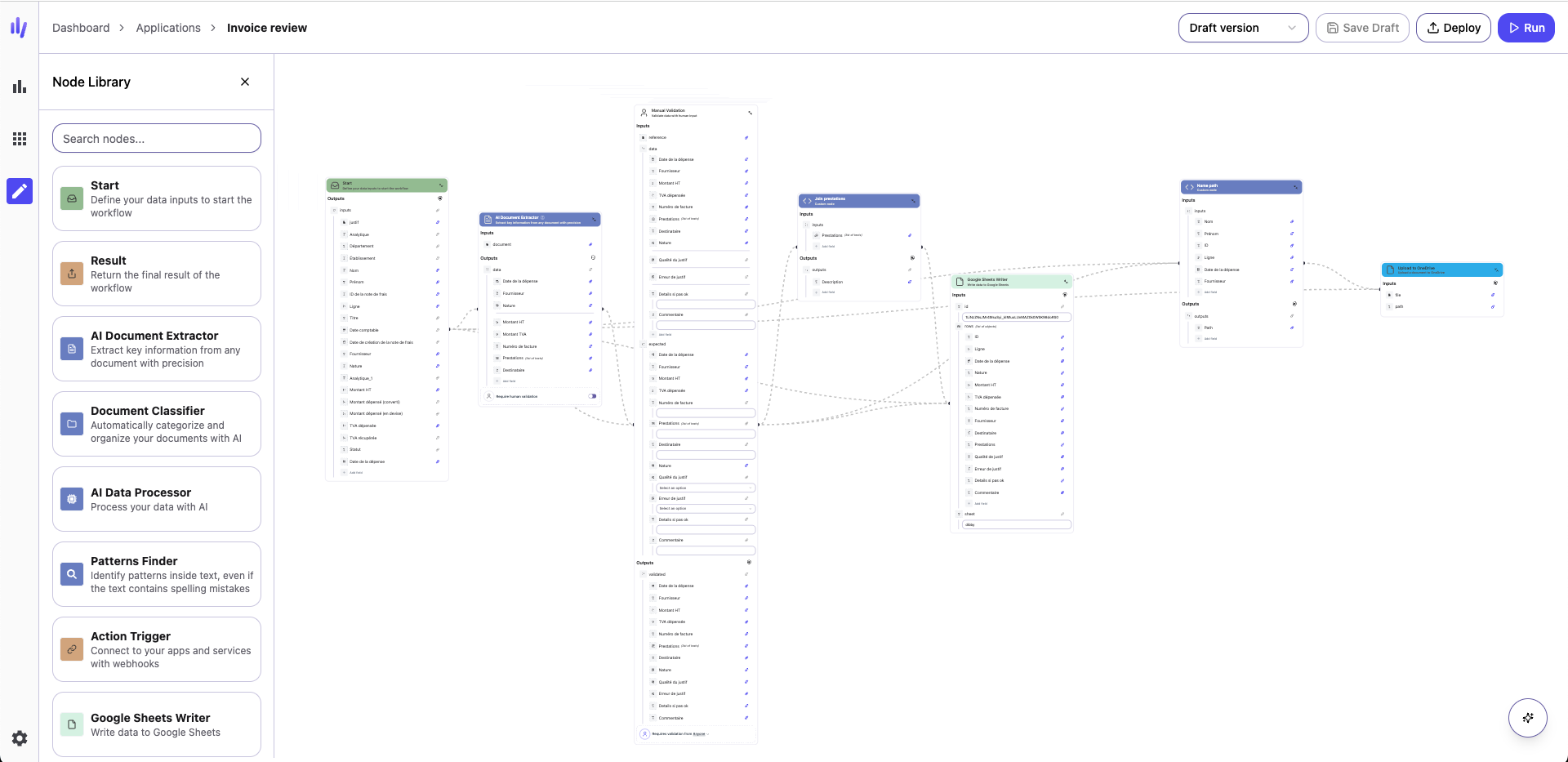
Trigger nodes
Every workflow begins with a trigger node. The trigger defines when and how the workflow should run.Manual triggers
Start Node A manual trigger you control with custom inputs. Perfect for testing, API-driven workflows, or on-demand execution from your application.External triggers
Automatically run your workflow when something happens in a connected service:- Mail — New email arrives
- Webhook Trigger — External system sends data to dibby
- More integrations available—see the Nodes documentation for the complete list
Scheduled triggers
Time Trigger Automate recurring tasks by running the workflow on a schedule (e.g., every 10 minutes, daily, weekly, monthly).Action nodes
Action nodes perform the core work in your workflow. These nodes interact with AI models, external services, or transform your data.AI-powered actions
- AI Document Extractor — Extract structured data from PDFs, invoices, contracts, forms, or scanned documents
- AI Document Classifier — Automatically categorize documents by type
- AI Data Processor — Generate text, create summaries, analyze sentiment, or transform data with custom AI prompts
Integration actions
Connect your workflows to external services and data sources. Integration nodes allow you to send data to spreadsheets, interact with email systems, call external APIs, or store information in dibby’s internal tables. See the complete list of available integrations in the Nodes documentation.Control flow nodes
Control flow nodes shape the logic of your workflow. They control how data flows, enable branching decisions, and allow you to process collections of items.Conditional branching
Condition Node (If-Else) Route your workflow down different paths based on data values.Iteration (Loop)
For Each Node Process arrays and lists by executing a set of nodes for each item. Perfect for:- Processing multiple documents from an email
- Updating multiple records
- Batch operations
Human validation nodes
Human validation is a core feature of dibby, allowing you to add human oversight and control to your automated workflows.Why human validation?
While AI is powerful, many business processes require human judgment, especially for:- High-value transactions
- Regulated industries requiring compliance
- Quality assurance and accuracy verification
- Exception handling and edge cases
- Building trust in automation
Validation node types
Manual Validation Node Always pauses the workflow for human review. The reviewer can:- See the original document alongside extracted data
- Compare extracted values with expected values
- Make corrections to any fields
- Approve or reject the results
- Auto-approve most results
- Flag specific runs for review based on confidence scores
- Manually trigger review when needed
How it works
- Workflow reaches a validation node and pauses
- A validation task is created and assigned to a team member
- The reviewer examines the data in the validation interface
- The reviewer approves or corrects the data
- Workflow resumes with the validated data
Output nodes
Output nodes define where your workflow ends and how results are delivered.Output nodes are optional. If omitted, the workflow will automatically
complete at its final step.
Available output options
Result Node Returns the workflow’s final output. Ideal for:- API-driven workflows
- Testing and development
- Integration with other systems
- Trigger actions in other systems
- Send data to your application
- Integrate with third-party tools
Best practices
Start simple
Begin with a basic workflow:- Choose a trigger
- Add one or two processing nodes
- Test with sample data
- Gradually add complexity
Use human validation strategically
- Add mandatory validation for high-risk or high-value processes
- Use optional validation to build confidence in your AI models
- Start with more validation, reduce as accuracy improves
Test thoroughly
- Use the Start node with sample data during development
- Test edge cases and error scenarios
- Verify integrations with real data before production
Monitor and iterate
- Review workflow runs in Audit & Logs
- Monitor execution times and credit usage
- Optimize based on real-world performance
- Refine AI prompts and configurations as needed